What Client Rooms in a recruitment CRM actually are
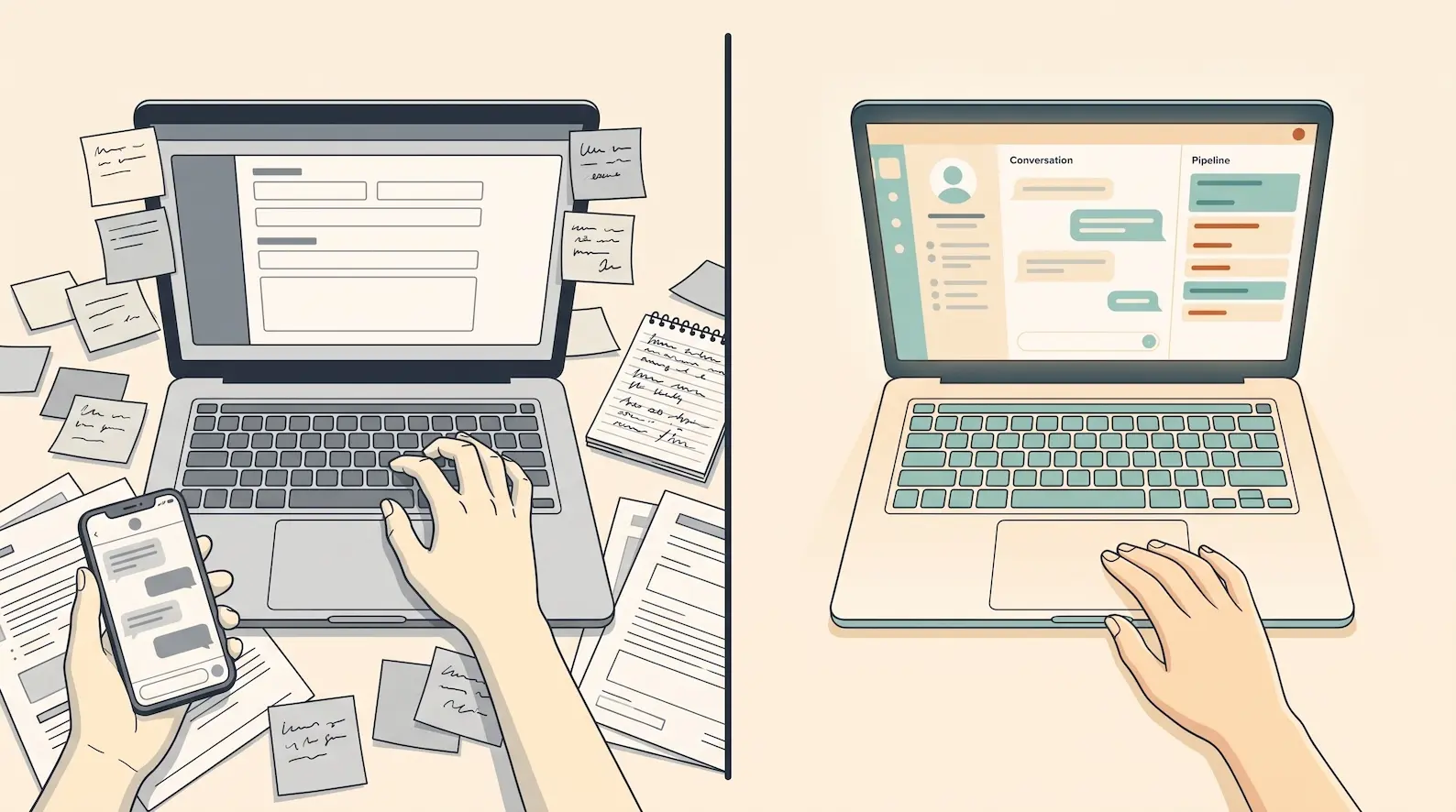
Every active search in a recruitment agency lives somewhere. In most agencies, it lives across an email thread, a spreadsheet shared on Drive, a deck in someone’s inbox, and a series of side conversations no one logs. Client Rooms in a recruitment CRM consolidate that scatter into one shared workspace — one room per search — where recruiter and client see the same record at the same time. This guide defines Client Rooms, explains why current client communication breaks, gives you the three-question Client Room Test, and walks through the architecture a CRM needs to deliver them genuinely.
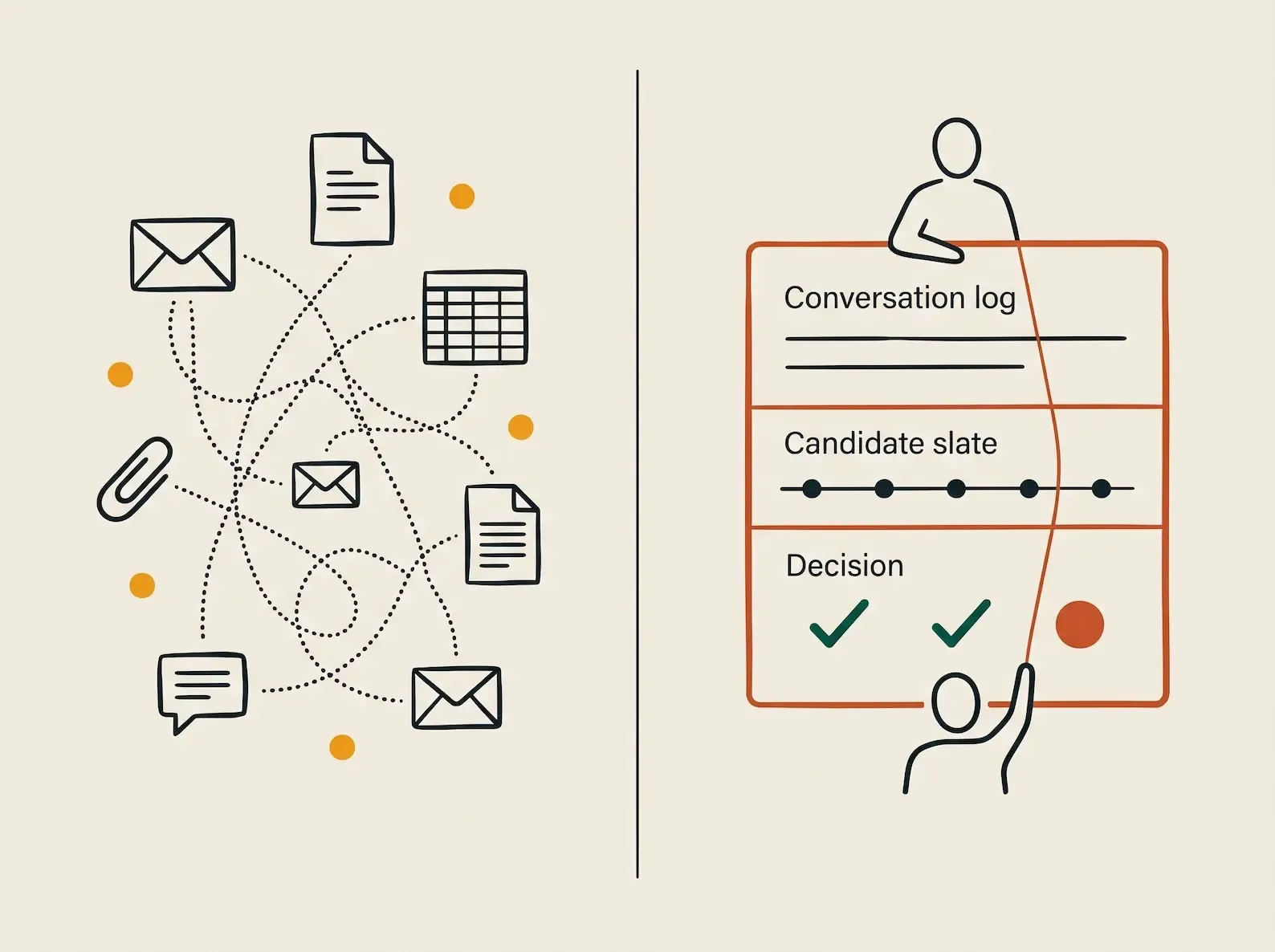
A Client Room is a shared client workspace per active search, where the candidate slate, conversation history, decisions, and next actions are visible to both recruiter and client. It is scoped to a single mandate — one room per role — and it is the record, not a copy of the record. The recruiter does not screenshot the CRM and send a PDF. The client does not paste feedback into an email that the recruiter then re-types into the CRM. They look at the same screen.
Most recruitment CRMs do not have this. They have an internal pipeline view for the recruiter and either no client view at all, or a separate client portal — a read-only candidate list, a comments box, and a status field — that mirrors a fragment of the CRM rather than being the CRM. The distinction is not cosmetic. A portal hides everything the agency does not push to it; a Client Room is the live record, so the client sees what is happening, not what was assembled to show them.
Signals treats Client Rooms as a product pillar rather than a feature. The recruitment CRM market is still largely sold as a product expected to deliver a strategy — Aptitude Research’s 2025 CRM Index Report names this misalignment as the core reason CRM implementations fail in talent acquisition Source: Aptitude Research, September 2025. Client Rooms are the answer to one specific strategic question: where does the search actually happen?
Why client communication breaks in most recruitment CRMs
The default for most agencies is asynchronous fragmentation. The shortlist exists as a PDF or a spreadsheet attached to an email. The client opens it on Monday, replies on Wednesday with thoughts on three of the eight candidates, asks for a Zoom link for two of them, and CCs a hiring manager whose preferences the recruiter has never been told. The recruiter rebuilds the shortlist with new annotations, sends an updated PDF, and the cycle restarts. Versions multiply. Decisions live in inbox threads. The CRM record gets updated when someone has time.
This is not a discipline problem. It is a structural one. Salesforce’s State of Sales finds B2B sales professionals spend roughly 70% of their working week on non-revenue activities — admin, internal meetings, data entry — leaving only 30% on actual selling Source: Salesforce State of Sales, July 2024. The recruitment-specific version of that admin tax is shortlist version control: maintaining a coherent record of who has been presented, what the client said, and what was agreed, across email threads that were not designed to be a system of record.
The downstream cost shows up in candidate engagement. Bullhorn’s 2025 Talent Trends research, surveying 2,800 candidates globally, finds 54% gave up working with a recruiter because the process was too slow or there was not enough communication Source: Bullhorn GRID Talent Trends, October 2025. Asynchronous shortlist management is one of the largest contributors to that perception of slowness — every email round-trip the recruiter has to do with the client is a delay the candidate experiences as silence.
The cost is also commercial. Recruitment payments research from AuxPay finds 21.3% of recruiters have reduced their fee after delivery simply to secure payment, and 8.37% were never paid at all Source: AuxPay Recruitment Payment Gap Report, 2026. Invoice disputes often trace back to absent documentation of what was presented, when, and what the client agreed — exactly the audit trail a Client Room produces automatically.
What Client Rooms unlock for an agency
Client Rooms compress the feedback loop because client and recruiter are looking at the same thing. The client opens the room, sees the live shortlist with whatever updates the recruiter just made, and acts in place — rates, comments, requests an interview, declines. The recruiter sees that action the moment it happens. There is no email round-trip and no version of the shortlist that disagrees with another version.
There are three durable benefits this unlocks for an agency.
Faster client feedback. When the client does not have to download an attachment, reply to an email, and have the recruiter re-type their response, the natural cadence of a search accelerates. The time between recruiter submission and client decision drops from days to hours on the searches where that matters most. The compounding effect on candidate engagement is the inverse of the 54% Bullhorn finding — when communication is faster, fewer candidates disengage.
Audit-ready search history. Every candidate presented, every client comment, every accept-and-reject decision lives on the room with a timestamp. This matters commercially because the AuxPay payment data above does not exist in isolation — invoice disputes often turn on whether the agency can show what was presented, when, and what was agreed. A Client Room is that shared record by default.
Continuity at recruiter turnover. When a recruiter leaves an agency, the rooms they ran do not leave with them. A successor recruiter can open the room and see every conversation, every client preference, every decision — the relationship survives the personnel change. NorthStar People’s UK benchmarking puts average client retention for recruitment agencies at around 40% Source: NorthStar People via Paul Sharpe, February 2026; a meaningful portion of that churn happens because relationship context lives in individual inboxes rather than agency records.
For APAC agencies operating in markets like Singapore, Client Rooms also resolve a compliance dimension that email-and-attachment workflows handle badly. Singapore’s Ministry of Manpower prohibits employment agencies from sharing candidate NRIC or FIN data with clients under Employment Agencies Licence Condition 5(b) Source: Singapore Ministry of Manpower, March 2024. A permissioned Client Room makes this enforceable by design — the agency controls which fields the client sees. An email attachment makes it nearly impossible to enforce.
The Client Room Test: three questions
Most CRM vendors offer something called a portal or a collaboration feature. The Client Room Test is a three-question diagnostic for whether a recruitment CRM has Client Rooms in the architectural sense, or only the marketing sense. A CRM has to pass all three; failing any one means the feature is a recruiter-client search portal sitting on top of the CRM, not the CRM made shared.
1. Does the client see the same record the recruiter sees? Pull up the search on the recruiter’s screen and on the client’s screen at the same time. If the two views are the same record — same candidate states, same decisions, same updates the moment they happen — the answer is yes. If the client view is a mirror updated when the recruiter syncs to it, the answer is no. A mirror is a portal; the same record is a Client Room.
2. Is every interaction captured in one place? Client communication that happens outside the room — a side email, a WhatsApp thread, a phone call with the hiring manager — has to flow back into the room automatically. If the test for “captured” is whether a recruiter remembers to log it, the room is incomplete by Friday afternoon of any working week. A Client Room only works when capture is structural, which is why it depends on the Perfect Memory layer underneath it.
3. Does the room survive recruiter turnover? Imagine the recruiter running the search resigns on Monday. Can the successor recruiter open the room and pick up the search at the point it stopped, including the client’s last decision and the next action they expect? If yes, the room survives turnover. If the answer requires “we will have to ask the former recruiter,” the room is personal property, not institutional record.
A CRM that passes all three has genuine Client Rooms. One that passes two has a useful portal. One that passes one has marketing.
How Client Rooms depend on Perfect Memory and the Agentic CRM layer
Client Rooms only work because two layers beneath them work first.
The first is the capture layer. A Client Room can only show the live state of a search if every interaction in that search — every call, every email, every WhatsApp message, every meeting — actually reached the CRM. This is what Perfect Memory does. It captures every recruiter conversation automatically across every channel, so the room is populated by what actually happened rather than by what the recruiter remembered to type in. Without that layer, conversations that never reach the CRM become gaps in the room — and a Client Room with gaps is just a portal.
The second is the action layer. A Client Room that requires the recruiter to manually update statuses, attach feedback, and surface next actions reproduces the email-thread problem one level up — the room exists, but maintaining it becomes the new admin task. An Agentic CRM updates the room itself: it extracts the candidate status change from the client’s last message, files the feedback against the right candidate, and drafts the next outreach. The recruiter reviews and approves rather than types and copies.
This is why Client Rooms are a product pillar in Signals rather than a portal in a vendor menu. They are the shared interface, but the shared interface only works because an AI-native recruitment CRM is doing the capture and the action work continuously behind it. Bullhorn’s 2025 industry research finds top-performing recruitment firms are roughly twice as likely as declining firms to have automated candidate search and screening tasks Source: Bullhorn GRID Industry Trends, October 2025 — the same automation gap shows up at the client-facing layer.
Client Rooms make client collaboration institutional
Client Rooms in a recruitment CRM solve a specific problem that most agencies have stopped noticing because it has been the default for so long. The active search lives across email and spreadsheets and inboxes; the CRM holds a summary that catches up afterwards; the client sees a fragment. Every step of that arrangement creates the slow feedback, lost decisions, audit gaps, and turnover-driven relationship loss the data on this page describes.
A Client Room replaces all of it with a single shared workspace per search — the same record visible to recruiter and client, every interaction captured in one place, the room outlasting the recruiter who opened it. Run the Client Room Test on whatever client room recruitment software your agency uses now. If the answer to any of the three questions is no, the agency is doing client collaboration on infrastructure that was never built for it. Signals is built so the answer is yes by design — Client Rooms as a product pillar, Perfect Memory as the capture layer, and the Agentic CRM layer doing the work the recruiter would otherwise do by hand.
See Client Rooms in action
See Signals on a recruitment desk like yours.
Common questions
Client Rooms in a recruitment CRM are shared workspaces, one per active search, where recruiter and client see the same candidate slate, conversation history, decisions, and next actions in one place. They replace the email attachments, spreadsheet versions, and side conversations most agencies use to run client communication today. A recruitment CRM has genuine Client Rooms only when both sides see the same record, every interaction is captured in one place, and the room survives recruiter turnover.
A client portal is a separate interface bolted onto a CRM, usually a read-only candidate list and a comments box. A Client Room is the CRM itself, scoped to one active search, with the same record visible to recruiter and client and every interaction captured in one log. The distinction is architectural: a portal mirrors a fragment of the CRM; a Client Room is the CRM made shared.
The Client Room Test is a three-question check for whether a recruitment CRM has genuine Client Rooms: Does the client see the same record the recruiter sees? Is every interaction captured in one place? Does the room survive recruiter turnover? A CRM that fails any one of the three does not have Client Rooms, regardless of how the feature is marketed.
Email-and-attachment shortlists slow searches down because they fragment the record across inboxes, force version control onto recruiters, and depend on the client opening an attachment to act. Bullhorn's 2025 candidate research finds 54% of candidates gave up working with a recruiter because the process was too slow or there was not enough communication [Source: Bullhorn GRID Talent Trends, October 2025](https://www.bullhorn.com/grid/2025-talent-trends/). Asynchronous email is the underlying cause.
When a recruiter leaves an agency that uses Client Rooms, the room stays with the agency rather than the individual. Every candidate presented, every client decision, every conversation in the search is already on the agency record, so the successor recruiter can pick up the search where the previous one left off. In agencies without Client Rooms, the same handover usually means rebuilding the client relationship from scratch, which is one of the structural causes of agency churn.